Trade show graphic design services should produce graphics that fit the actual booth, communicate from the aisle and arrive ready for the nominated printer. Begin with the exhibitor manual, hardware templates and approved message hierarchy. Review every surface at scale, complete printer-specific preflight, and keep fabrication, shipping, installation and final approval responsibilities explicit.
The short answer: design the booth as a physical system
A booth graphic is not a large social post. It sits on a wall, fabric skin, lightbox, counter or sign with exact dimensions, seams and sightlines. Attendees may see it from across an aisle, approach from an angle and then read supporting detail up close. The design must work at all three moments.
The work is both brand-led and production-led. A designer defines hierarchy, imagery and layouts. The exhibit builder or printer controls the final template, material, color workflow, bleed, safe area and delivery deadline. The organizer controls show rules. Treat those inputs as design constraints from the beginning.
Separate graphic design from booth design, fabrication and show services
Trade show design can describe several purchases. A proposal should say which layer the provider owns. Current first-party pages show the range: Catalyst Exhibits relates graphics to scale, sightlines and booth placement, while GraphicDigits sells artwork and print-ready files rather than fabrication or installation. These are scope descriptions, not independent quality ratings.
| Scope layer | Typical responsibility | Buyer question |
|---|---|---|
| Graphic design | Hierarchy, layouts, panel artwork and proofs | Do we receive editable and printer-ready files? |
| Exhibit design | Footprint, structure, flow, lighting and screens | Who owns the approved plan and elevations? |
| Fabrication and printing | Hardware, materials, output, finishing and packing | Which production specification controls? |
| Show services | Venue orders, labor, freight and installation | Which deadlines sit in the exhibitor portal? |
| Field marketing | Goals, audience, offer, staffing and approval | Who approves claims and late changes? |
A provider may cover several layers, but the label does not prove it. Ask for named outputs, owners and dates. If the designer cannot work directly with the printer, designate one production owner. Any hardware, dimension or material change should trigger a controlled artwork update.
Lock the show rules, footprint and hardware before detailed design
Start with the current exhibitor manual, booth number, footprint, booth type, open sides, neighboring stands, maximum heights, setbacks, fire and accessibility requirements, hanging-sign rules and move-in schedule. The organizer's current manual is the authority for that event. Generic dimensions from a previous show or a display reseller are not a substitute.
The IAEE display guidelines explain common North American booth types and line-of-sight concepts, including why some display areas are height restricted. Use them to understand the vocabulary, then verify the actual organizer rules. A layout can be attractive and still be rejected if a tall wall, sign or screen blocks a required sightline or exceeds the assigned space.
- Collect the final plan, booth orientation and aisle approach before choosing the primary visual face.
- Obtain vendor templates for every wall, lightbox, counter, banner and sign.
- Mark visible area, trim, bleed, seams, cutouts, screens and furniture on the proof.
- Confirm full size or documented scale and how final-size resolution will be judged.
- Record material, lighting, color, finishing and installation requirements.
- Freeze the hardware revision before final art and reissue files after any measured change.
Build a booth graphic inventory before opening the design file
Create one inventory row for every produced surface. Give each item an ID used in the booth plan, artwork filename, proof and packing list. This catches missing or swapped panels and separates permanent graphics from campaign pieces that may change at the next event.
| Inventory field | Why it matters | Approval evidence |
|---|---|---|
| Asset ID and location | Connects artwork to the booth | Annotated elevation |
| Finished size and scale | Prevents unintended resizing | Vendor template |
| Visible and safe area | Protects key content | Guided proof |
| Material and finish | Affects color, glare and detail | Printer specification |
| Content owner | Controls claims and rights | Named approver |
| Version and due date | Stops stale art | File manifest |
| Install reference | Guides placement | Install plan |
Design the message hierarchy for real viewing distances
The back wall cannot carry the company story, catalog, proof and several calls to action at equal weight. Decide what a passerby must understand first: audience, category or outcome. Keep that message scannable while walking. Use nearer surfaces for proof, product detail or a conversation prompt.
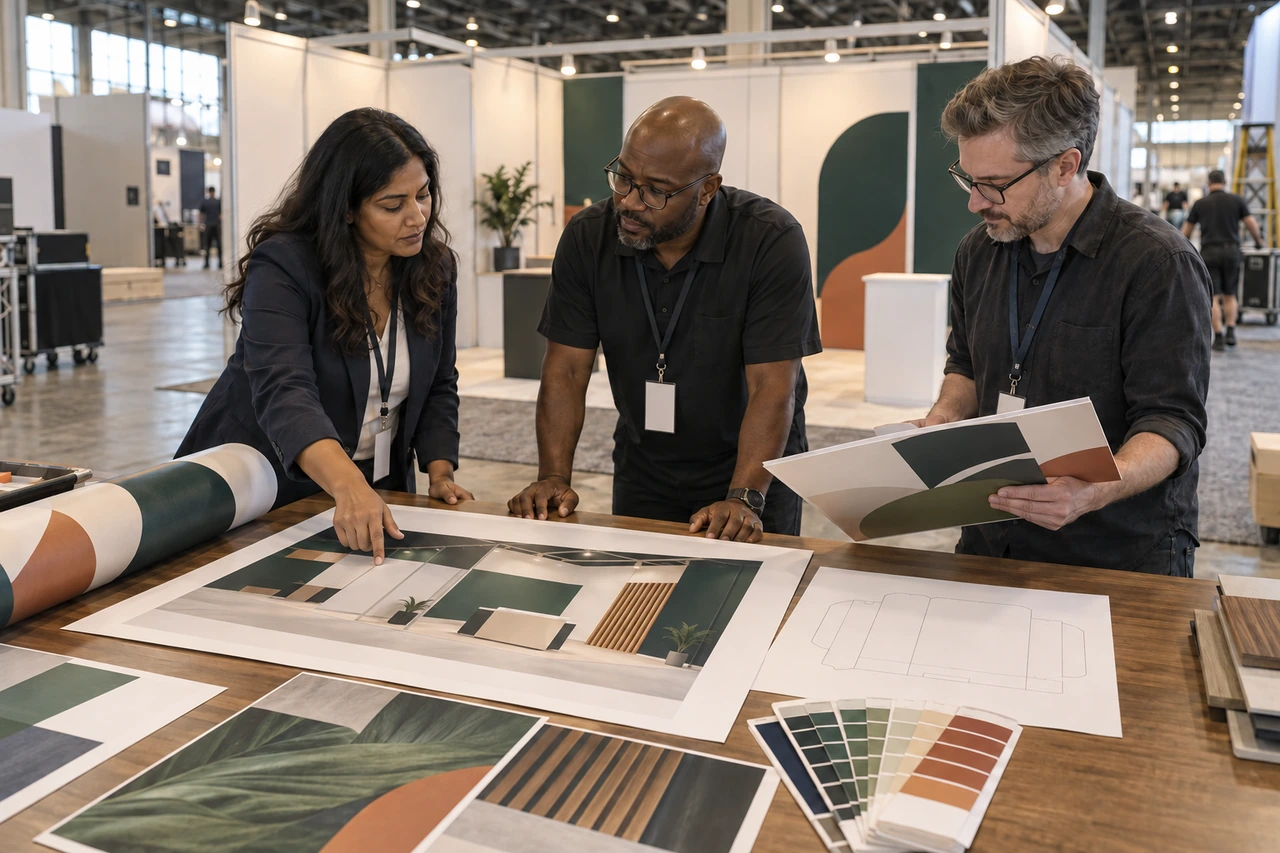
Review planned viewpoints, not only a flat PDF. Put people, counters, products and screens into the elevation. Check whether furniture hides the action, a seam crosses a face or a screen competes with the message. Inspect a scaled proof from an equivalent distance before approval.
If every surface shouts, the aisle sees noise. Give each viewing distance one clear job and let the booth team carry the conversation forward.
PitchWorx exhibit-graphics principle
Prepare imagery, color and type for large-format output
Do not apply one universal resolution rule. Effective raster resolution depends on final output size, the image, the print process and how closely people will view it. Adobe's current print-resolution guidance notes that 300 ppi is useful for smaller close-viewed prints while large-format work viewed from farther away may work at a lower value. The printer should set the acceptance threshold for each material and scale.
Keep logos, icons and type as vector where possible. Check placed photographs at final size rather than trusting source pixel dimensions. Ask the printer for color, profile, black and overprint rules plus a physical proof when color is critical. A screen cannot predict every fabric, vinyl or backlit result.
Use the printer's specification as the final preflight standard
The printer's current template and instructions supersede generic advice. The GES graphics preparation guide covers source formats, vector assets, fonts, bleed and project details. Its Exhibit Systems+ guide adds product-specific scale, resolution, color and PDF instructions. Those numbers apply to that GES workflow, not automatically to another vendor.
- Open the final vendor template and confirm artboard size, scale, orientation, bleed, trim and safe area.
- Check every image at final-size resolution and confirm usage rights.
- Verify color, profiles, transparency, overprint, black and proof rules with the printer.
- Package links and fonts, or outline type only when requested, while preserving an editable master.
- Inspect seams, wraps, cutouts, folds, hems and hardware against the elevation.
- Reopen the production PDF and inspect dimensions, page boxes, images and substitutions.
- Include event, booth, asset ID, version and approval state in filenames.
Plan proofing around both flat files and the installed environment
A complete review has several owners. Content checks names, claims and actions. Brand checks hierarchy and identity. Production checks templates and output. The exhibit owner checks the structure. The onsite lead confirms placement, lighting and sightlines. One approval screenshot cannot cover every job.
- Approve the message map and graphic inventory before visual development.
- Approve one representative surface at a readable scale before adapting the full family.
- Review the complete elevation with every graphic, screen, product and furniture zone.
- Resolve every vendor-proof issue against the current templates in writing.
- Approve and lock the exact production file manifest.
- Inspect the installed booth and record replacement needs by asset ID.
Compare providers on production control, not portfolio style alone
A relevant portfolio shows experience with space and large surfaces. Operating questions reveal whether the job will survive production. Ask who checks templates, communicates with the fabricator, manages proofs and versions, supplies editable source and handles urgent corrections before cutoff.
Current first-party pages illustrate the scope spread. GoVizly Displays lists print-ready PDF and source-file delivery, while other providers bundle graphics with production. Verify hardware, printer, concepts, revisions, image rights, proofing, source files and reuse. A low fee can become expensive if adaptations or corrections are excluded.
Price the work by asset system and production risk
Pricing may be by surface, hour, booth package, project or recurring capacity. Compare the same inventory. Separate unique concepts from adaptations, and identify retouching, illustration, languages, late hardware changes and printer coordination. Printing, hardware, freight, labor, installation and storage remain separate unless explicitly included.
PitchWorx Creative Assist is currently $699 per month with unlimited queued requests, two active requests, human-led design with AI-assisted production, senior review, unlimited revisions and team members, editable source files where applicable, no long-term contract and cancellation at any time. Most everyday requests target about 72 hours. Build a multi-surface event schedule backward from the printer cutoff.
Trade show booth graphics preflight checklist
- The current exhibitor manual, booth plan, hardware revision and organizer rules are stored with the brief.
- Every produced surface has an asset ID, location, size, template, material, owner, due date and filename.
- The aisle-level message, closer-view proof and staff conversation prompt have distinct jobs.
- Logos, type and key images remain clear at their intended viewing distances and are protected from seams and obstructions.
- Claims, product details, dates, sponsor marks, image rights and calls to action have named approvers.
- Printer-specific scale, bleed, safe area, color, resolution, font, link and PDF requirements have been checked.
- Flat proofs, complete elevations and production proofs agree with the same versioned asset inventory.
- The handoff names the production contact, approval authority, upload destination, deadline and replacement process.
- Editable source, links, fonts or outlines, licenses, proofs and the exact production manifest are archived.
- The onsite owner knows how to verify placement and report a damaged, missing or incorrect graphic by asset ID.
Trade show graphic design services FAQs
What do trade show graphic design services include?
A design scope can include the booth message hierarchy, visual direction, wall and panel artwork, banners, counter graphics, hanging signs, screen frames, sponsor adaptations, handouts, mockups, printer preflight and editable source files. Fabrication, printing, hardware, freight, venue orders, installation, staffing and lead capture are separate unless the proposal names them.
What files should I give a trade show graphic designer?
Provide the current exhibitor manual, booth plan and elevations, exact vendor templates, hardware revision, brand files, vector logos, approved copy, high-resolution licensed images, product assets, sponsor rules, screen sizes, calls to action, required legal copy, printer contact, deadlines and named approvers. Include photos and lessons from the previous booth when available.
How far in advance should trade show graphics be designed?
Work backward from the nominated printer's file cutoff, proofing time, production slot, shipping date and installation date. Add time for message approval, hardware confirmation, representative design, adaptations and corrections. A provider can estimate only after seeing the asset inventory and dependencies. Late artwork may lose proofing time or incur rush costs, so ask the printer for dates first.
How much do trade show graphic design services cost?
Cost changes with the number of unique concepts and adapted surfaces, booth size, retouching, illustration, languages, revision rounds, vendor coordination and deadline. Compare design separately from printing, hardware and show services. PitchWorx Creative Assist is currently $699 per month with two active requests, while the project schedule still depends on the asset count and print cutoff.
Does the designer also print and install the booth graphics?
Sometimes, but not automatically. Exhibit houses may combine design, fabrication and installation. Independent design providers may deliver artwork to your printer or booth builder. Ask who owns templates, color proofing, material choice, production approval, freight, installation and replacement files. Put each responsibility in writing before final art begins.
What resolution should trade show graphics use?
Use the printer's requirement for the specific material, final size, scale and viewing distance. Do not enlarge a web image and assume the file is ready. Check effective resolution at final output size, keep logos and line art as vector where possible, and review a proof. Large-format resolution can differ from close-viewed print, so one universal ppi number is unreliable.
Should booth artwork be built at full size or at scale?
Follow the supplied template. Some vendors want full-size artwork, while others accept or require a documented scale for very large surfaces. Dimensions, bleed, raster resolution, effects and export settings must all respect that scale. Include the scale in the file manifest and proof so no one applies it twice or forgets it during production.
What should the final handoff include?
Expect the approved production PDFs, editable source files, embedded or packaged assets as required, font and license notes, color references, flat proofs, complete elevations, asset inventory, filename and version manifest, printer approval record, install references and an archive plan for reuse. Confirm who keeps the final vendor templates and who may authorize a replacement print onsite.
One subscription for the booth and every supporting asset
A trade show campaign rarely ends at the booth wall. Field teams also need handouts, product sheets, presentation decks, screen graphics, social promotion, email assets, meeting leave-behinds and follow-up content built from the same approved story. PitchWorx keeps those requests in one managed queue for $699 per month, with two active requests and senior review on every output. Start with the booth inventory, one representative elevation and its production checklist. One subscription does all of this. Explore the print design service.