
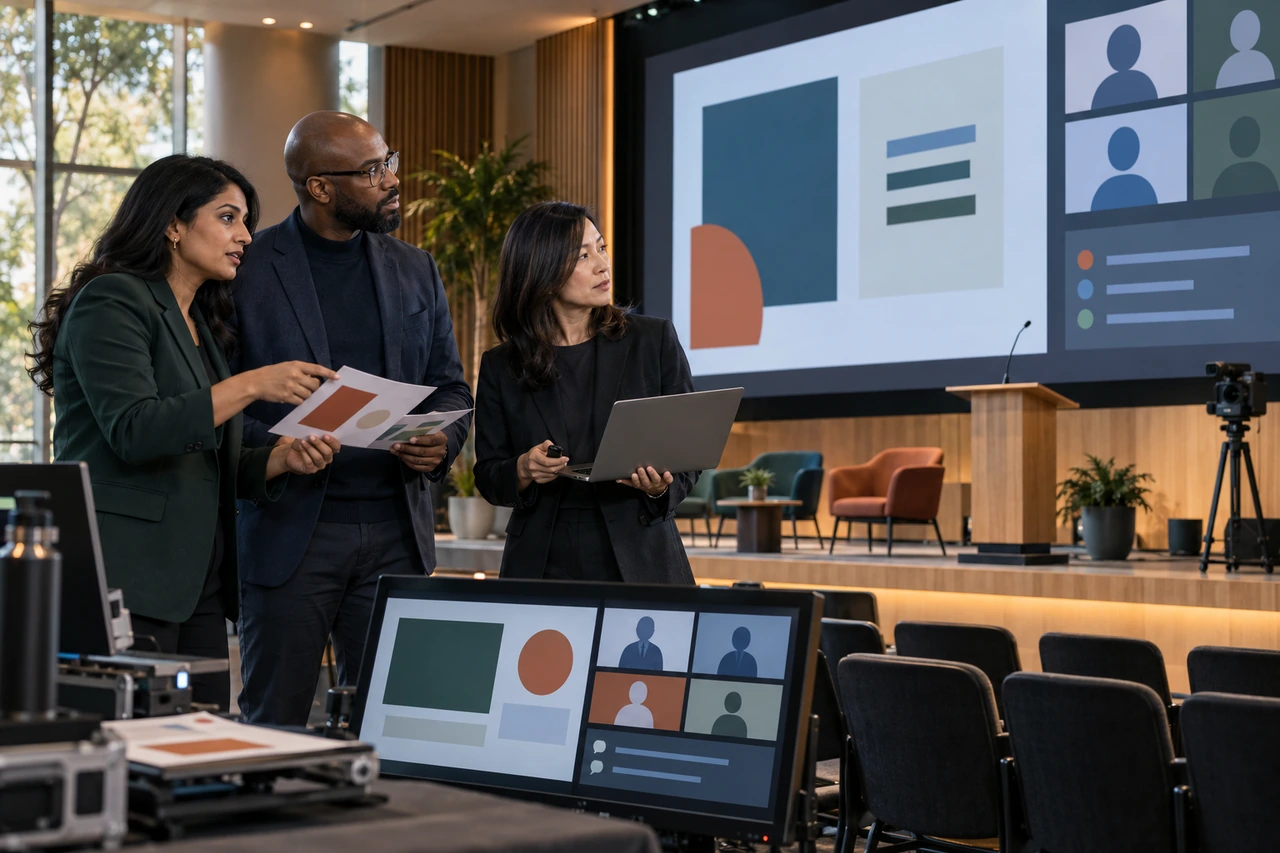
Town hall presentation design services should turn approved leadership messages, business evidence and employee questions into one controlled program for the room and remote audience. A useful partner aligns speakers, designs for every screen, protects accessibility, supports rehearsal, manages final files and creates follow-up assets without taking ownership of facts or executive decisions.
The short answer: design the whole communication event
A town hall deck is rarely one person's presentation. It combines an executive opening, operating or financial updates, product and customer stories, people messages, recognition, questions and a close. Each section may arrive from a different owner in a different format. The design challenge is to make those contributions feel like one honest conversation without flattening every speaker into the same voice.
The slides also serve several audiences at once. People in the room watch a large screen and the speaker. Remote employees see a compressed stream that may place slides beside video, captions and Q&A. Others watch a recording or receive a recap later. A polished file can still fail if type is unreadable on the stream, a video has no captions, an executive overruns, or the final link points to the wrong version.
Define the town hall design scope before collecting slides
| Workstream | Useful output | Boundary to confirm |
|---|---|---|
| Message and agenda | Approved purpose, audience and timed run of show | Who owns executive messaging and employee implications? |
| Content coordination | Speaker brief, deadlines and one controlled source file | Who follows up with late contributors? |
| Presentation design | Editable branded deck for every approved section | Is writing, data analysis or fact checking included? |
| Screen production | Room, stream, confidence-monitor and backup outputs | Who owns AV, playback and platform configuration? |
| Accessibility | Readable slides, caption plan and accessible handout | Who supplies captioning, interpretation and approved transcripts? |
| Follow-up | Recording cover, recap graphics and employee handout | Who edits video, publishes files and controls access? |
Count deliverables instead of quoting one deck. List the number of speakers, estimated slides, screen ratios, locations, languages, videos, data-heavy pages, animations, rehearsal rounds, backup formats and follow-up pieces. State whether the provider receives approved copy or helps shape the narrative. Event production, streaming, teleprompter operation, executive coaching, translation and video editing are separate unless the proposal names them.
Start with the employee question, not the department order
Department-by-department updates often produce a long sequence of unrelated wins. A stronger structure begins with what employees need to understand, feel and do after the meeting. Explain what changed, why it matters, what leadership decided, what remains uncertain, how each group is affected and where questions will be answered. Then place each speaker where they advance that shared narrative.
- Open with the purpose and the few changes employees should listen for.
- Show business results with context, definitions and a clear comparison period.
- Acknowledge misses and uncertainty rather than hiding them behind celebration pages.
- Connect priorities to the practical implications for teams, customers and current work.
- Use recognition and stories as evidence of values or progress, not as filler between charts.
- Protect meaningful time for moderated questions and a direct leadership close.
Internal communications should own the event narrative and tone. Finance approves reported numbers. People leaders approve employment and policy statements. Legal, compliance, security and regional teams approve the claims within their remit. The design partner can flag gaps, contradictions and overloaded pages, but should not invent certainty or decide what leadership is prepared to say.
Build one timed run of show for slides, speakers and screens
| Run-of-show field | Why design needs it | Failure it prevents |
|---|---|---|
| Segment and objective | Connects every page to a communication job | A section exists only because a leader sent slides |
| Speaker and handoff | Creates introductions, transitions and ownership | Dead air or an unclear next presenter |
| Start, duration and hard stop | Controls page count and rehearsal decisions | Q&A disappears after overruns |
| Playback source | Identifies the exact deck, video or live feed | The operator opens an old or local file |
| Screen state | Defines room, stream and confidence-monitor content | Remote viewers see the wrong source |
| Cue and fallback | Tells production what happens next if media fails | The event stops while a file is repaired |
Assign stable IDs to slides, videos and cues so late edits do not break the run sheet. Name one release owner who can declare the presentation final, issue a new version and retire older exports. Keep editable working files separate from operator-ready playback files. If a slide changes after rehearsal, record what changed and reopen the affected checks instead of quietly replacing the file.
Coordinate many speakers without creating one generic voice
A town hall needs consistency in typography, data labels, transitions and brand behavior, but each leader should still sound like a person. Give every contributor a short brief: audience, objective, allotted time, key point, evidence, sensitive topics, likely questions and deadline. Ask for rough content early, then approve one representative section before redesigning the full program.
Write slide headlines as conclusions employees can understand without decoding a chart. Keep details in speaker notes or an appendix when they are needed for delivery but not for the screen. Use signposts between sections so the audience knows whether the program is moving from results to priorities, from strategy to people implications, or from prepared remarks to live questions.
Design for the back row and the compressed stream
Request the venue and platform specifications before detailed design. Confirm screen dimensions, aspect ratio, safe areas, output resolution, camera framing, lower-third or caption area, room lighting, confidence monitors and how slides appear beside presenter video. Test the actual stream layout. A 16:9 slide that looks spacious on a laptop can become crowded when the platform reduces it to make room for video and controls.
- Use fewer, larger elements and prioritize one message per screen state.
- Keep important labels away from platform overlays, captions and cropped edges.
- Replace dense tables with a highlighted conclusion and a follow-up reference page.
- Build video, poll and Q&A transitions into the deck and the operator cues.
- Test every embedded asset from the playback computer with the real audio route.
- Prepare PDF and still-image fallbacks for essential content when animation or media fails.
Microsoft's current Teams town hall guidance describes a one-to-many event built around speakers and shared information, with Q&A, captions, recordings and attendee reports available according to the configured experience. Platform capabilities and licensing change. Confirm them in the organizer's tenant rather than designing from an old checklist.
Plan Q&A as a content and production workstream
Q&A should not be an empty title slide added at the end. Decide how questions arrive, whether anonymous submissions are allowed, who moderates, how duplicates and confidential cases are handled, which leader answers each category and what happens to unanswered questions. Prepare a holding slide, moderator cues and a clear transition back to the close.
For sensitive updates, distinguish what is approved for the live room, recording, downloadable deck and written recap. A page suitable for a controlled internal broadcast may not belong in a broadly shared PDF. Plan redacted or summary versions before publication pressure arrives. Record which questions require a direct follow-up, an HR route, a regional answer or no public response because the premise is confidential or unsafe.
Make accessibility part of the event plan
Accessibility affects the slide file, live production and follow-up. Microsoft's current PowerPoint accessibility guidance recommends unique slide titles, meaningful reading order, alt text, descriptive links, sufficient contrast and content that does not depend on color alone. Run the Accessibility Checker, then inspect the important pages manually because an automated pass cannot judge every communication choice.
For live synchronized media, W3C guidance on live captions explains that captions should convey dialogue, identify speakers and include meaningful sounds. Assign captioning and interpretation owners early, share names and specialized terms, keep captions clear of critical visuals and test the attendee view. Also provide an accessible recap or transcript for people who join later or cannot use the live format.
Rehearse the human handoffs and the failure paths
A slide review is not a rehearsal. Run the presentation from the playback device through the real room and remote platform with every speaker, moderator and operator. Time each segment, practice handoffs, confirm pronunciation and names, test videos and polls, inspect captions, review camera framing and rehearse the questions leadership expects to receive.
| Rehearsal check | Acceptance question |
|---|---|
| Narrative | Can employees explain what changed and what they should do next? |
| Timing | Does every segment fit while preserving the planned Q&A and close? |
| Readability | Can the room and remote audience read each important element? |
| Media | Do video, audio, captions, polls and links work from the event machine? |
| Handoffs | Does each speaker know the cue, opening line and next speaker? |
| Fallbacks | Can the operator continue if a video, connection or device fails? |
Turn the event into useful follow-up assets
The recording is only one follow-up. Employees may need a concise recap, approved action list, accessible deck, transcript, unanswered-question log, manager cascade kit, regional adaptation and short clips. Define these before the event so the design system includes the required titles, crops and safe areas. Decide which sensitive pages must be removed or replaced before broader sharing.
Use post-event data as evidence, not as decoration. Platform attendee reports can show reach and viewing behavior, while survey and question themes can reveal confusion or unmet needs. Internal communications should interpret the evidence and decide what changes next time. The design partner can then update the master, run of show, speaker brief and follow-up templates deliberately.
A useful town hall makes the message clear in the room, credible on the stream and actionable afterward.
PitchWorx town-hall principle
Use a controlled town hall production workflow
- Define the employee audience, meeting purpose, decisions, sensitive topics and required follow-up.
- Build the timed run of show with speakers, source owners, screen states, cues and fallbacks.
- Issue one speaker brief and collect rough content, data, media, rights and approvals by named deadlines.
- Approve the narrative and one representative section before production expands across the program.
- Design the room, stream, confidence-monitor and follow-up formats from the real specifications.
- Run fact, brand, rights, security, accessibility and platform checks with accountable owners.
- Rehearse the complete event, log changes and release one numbered operator package with backups.
- Publish approved follow-up assets, record open questions and update the reusable system for next time.
Compare town hall presentation design pricing on equal scope
Public provider pages show different buying models. Helion 360's current town hall service describes agenda alignment, narrative structure, creative production, speaker preparation and event-day support, but prices by quote. 24Slides currently lists Basic per-slide rates of $16 for Fix Up, $43 for Redesign and $66 for Redraw, while its Premium dedicated setup starts at $2,950 per month. Presentation Geeks currently publishes presentation tiers starting at $999, $1,499 and $3,499. These are supplier-listed prices, not a market average or proof of equivalent scope.
Normalize the comparison. Count content strategy, slide volume, charts, custom visuals, speaker sections, media, revisions, deadline, languages, accessibility, rehearsal, event-day support, backups and follow-up assets. A per-slide redesign and a managed recurring town hall system solve different problems even when both deliver a PowerPoint file.
PitchWorx Creative Assist is currently $699 per month with two active requests, unlimited queued requests and revisions, unlimited team members, editable source files, stock images and icons, senior designer review on every output, no long-term contract and cancellation at any time. Most everyday requests target about 72 hours. Executive messaging, specialist data analysis, AV production, live captioning, translation, event operation and on-site support require explicit ownership or separate scope.
| Buying model | Good fit | Question to resolve |
|---|---|---|
| Template | A capable internal team with a stable recurring structure | Who coordinates speakers, QA and the final release? |
| Per-slide project | A defined deck with approved content | Are run of show, rehearsal and follow-up excluded? |
| Event production partner | Complex live, hybrid or multi-location delivery | How are presentation design and content ownership divided? |
| Ongoing subscription | Recurring town halls plus connected communication assets | What capacity, deadlines and specialist boundaries apply? |
Questions to ask a town hall presentation provider
- Do you shape the narrative, redesign approved content, or both?
- How do you collect and reconcile slides from several leaders without losing ownership?
- What venue, screen, camera, streaming, caption and confidence-monitor specifications do you need?
- How many speakers, slides, videos, languages, revisions and rehearsals does the price include?
- Who checks business facts, people messages, rights, security and accessibility?
- Will you participate in the full technical rehearsal or only deliver files?
- What operator-ready, backup and post-event formats will we receive?
- How are late changes approved, versioned, communicated and rolled back?
- Will we receive editable sources, linked assets, fonts, licenses, notes and an update guide?
Town hall brief and acceptance checklist
- The employee audience, purpose, key message, sensitive topics and next action are approved.
- Every segment has an objective, speaker, source owner, time limit, handoff and fallback.
- Numbers, people messages, claims, media and rights have named approvers.
- Slides remain readable on the actual room screen, stream layout and recording.
- Captions, reading order, contrast, color use, links and accessible follow-up have been checked.
- Videos, polls, Q&A, audio, camera framing and confidence monitors pass the technical rehearsal.
- The release owner has issued one numbered playback package plus tested backups.
- Editable sources, notes, fonts, licenses, version log and update instructions are complete.
- Recording, recap, transcript, open questions and manager or regional follow-up have owners.
Town hall presentation design services FAQs
What do town hall presentation design services include?
They may include agenda and narrative support, speaker briefs, content consolidation, branded slide design, data visualization, screen adaptations, media integration, accessibility checks, rehearsal changes, operator files, backups and follow-up assets. Executive writing, data analysis, AV, streaming, captioning, translation, coaching and event operation may be separate. Request a responsibility map before buying.
How much does town hall presentation design cost?
Cost changes with content readiness, slide volume, speaker count, charts, custom visuals, media, languages, screen formats, accessibility, revisions, rehearsal and deadline. Public offers range from per-slide work to quoted event support and monthly teams, so compare identical outputs. PitchWorx includes eligible town hall design in its current $699 monthly plan with two active requests.
What should I send a town hall presentation designer?
Send the purpose, audience, approved messages, speaker list, timed run of show, rough slides, data sources, brand files, media and rights, venue and platform specifications, accessibility needs, sensitive-content rules, Q&A process, deadlines, approvers, rehearsal date and follow-up plan. Identify the one person authorized to release the final package.
How far in advance should town hall design start?
Start when the purpose, date, speakers and production format are known, not when every sentence is final. Helion 360 currently recommends two to three weeks and says shorter rush schedules may be possible when content is ready. Complex multi-location, multilingual or media-heavy events need more time. Work backward from the full technical rehearsal, not only the live date.
How do you make a town hall deck work for hybrid audiences?
Design from both viewing contexts. Test large-screen distance, streamed slide size, presenter video, caption area, platform overlays and recording output. Use fewer larger elements, clear transitions and explicit remote participation cues. Give remote viewers an accessible Q&A route and follow-up. Do not assume the room screen and shared-screen feed show the same composition.
How should Q&A appear in the presentation?
Use a clear transition slide and let the moderator, not a decorative page, run the segment. Define question intake, anonymity, triage, speaker routing, time limit and follow-up. Prepare holding and closing slides, plus a process for sensitive or unanswered questions. Rehearse difficult themes and the handoff back to the final leadership message.
Do we need editable source files?
Usually yes for a recurring internal event. Ask for the editable presentation, master and layouts, linked assets, videos, fonts, licenses, notes, chart sources as scoped, version history and a short update guide. Source delivery makes future updates easier but does not replace content approvals, access controls or third-party usage rights.
What should happen after the town hall?
Publish the approved recording, recap, transcript or accessible deck according to the access plan. Route unanswered questions, give managers any required cascade material and record decisions and actions. Review attendance, viewing behavior, survey feedback and question themes, then update the reusable deck, speaker brief and run of show for the next event.
One subscription does all of this
A town hall rarely needs slides alone. Teams also need leader notes, opening films, motion graphics, screen loops, recognition pages, recap graphics, recording covers, short video cutdowns, manager handouts and follow-up communication built from the same approved story. PitchWorx Creative Assist keeps that connected work moving for $699 per month with two active requests and senior review on every output. Start with the highest-risk speaker section, the timed run of show and the real screen specification. One subscription does all of this. Explore the PowerPoint presentation design service.