
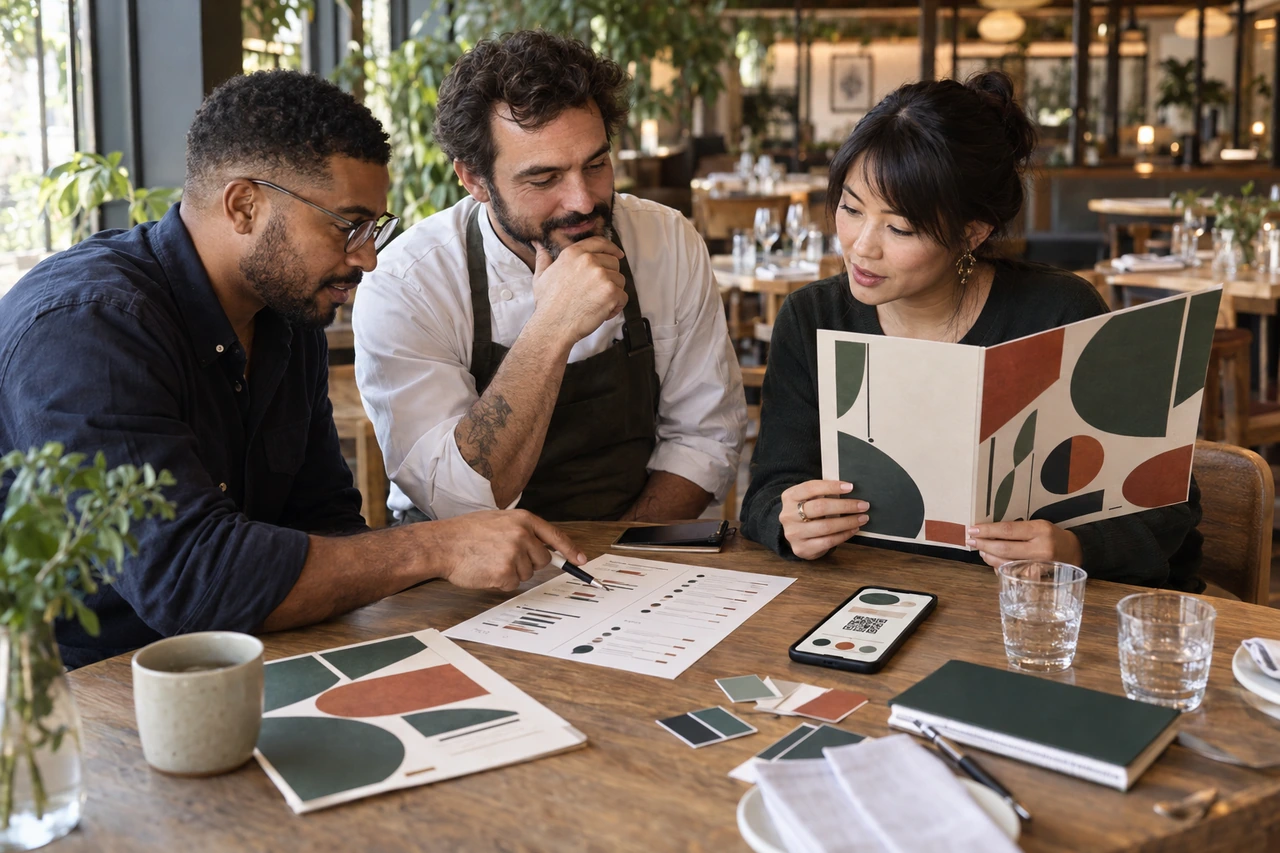
Restaurant menu design services should turn one approved source of item names, descriptions, prices and dietary information into a readable system that survives updates. A useful engagement defines who owns food facts, separates design from menu engineering and printing, tests the real dining context, and returns editable files with a controlled change process.
The short answer: buy a menu system, not a polished PDF
A restaurant menu is both a customer decision surface and an operational document. It may exist as a bound dine-in menu, a single-use sheet, a wall board, a takeaway leaflet, a website page, a QR destination and a delivery-platform listing. When every version is rebuilt from separate copy, a small price or allergen change becomes a consistency risk. Good design begins by controlling the information before arranging it.
Define the provider's boundary early. A designer can organize content, create hierarchy, apply the brand, prepare reusable layouts, produce digital and print files and manage proof comments. Recipe costing, menu engineering, food photography, copywriting, translations, nutrition calculations, legal review, printing, QR hosting and point-of-sale updates are separate unless the proposal names them. A beautiful menu cannot validate a chef's data or a regulator's requirements.
Define what restaurant menu design services include
| Workstream | Useful output | Boundary to confirm |
|---|---|---|
| Content intake | Controlled item sheet with names, descriptions, prices and labels | Who approves every food fact and price? |
| Information design | Sections, hierarchy, navigation, symbols and price treatment | Is commercial menu engineering included or supplied? |
| Visual design | Brand-aligned layouts for each approved format | Are photography, illustration and copy included? |
| Digital versions | Responsive web or QR destination plus accessible text | Who builds, hosts and updates the destination? |
| Print production | Printer-specific PDF, proof record and packaged source | Who selects stock, finishes, quantity and printer? |
| Change management | Version log, update template and named owner | Who synchronizes all channels after approval? |
Count menus, pages, sizes, languages and channels separately. A two-sided lunch card is not equivalent to a multi-location system with regional prices, wine, dessert, room service and digital ordering. Ask whether the quote covers one first edition or the operating system needed for recurring changes. The answer affects cost more than the word custom.
Create one controlled source for every menu item
Start with structured data rather than a stack of old PDFs and email corrections. Give each item a stable identifier that does not change when its display name changes. Store the approved name, description, price, currency, category, availability, dietary or allergen status, location, language, effective date and approver in separate fields. This lets the team compare versions and prevents an old number from returning during layout revisions.
| Field | Why it matters | Owner |
|---|---|---|
| Item ID and category | Connects the same dish across formats and locations | Operations or POS owner |
| Display name and description | Controls spelling, tone and line length | Culinary and brand owners |
| Price and currency | Prevents manual retyping and regional ambiguity | Finance or operations |
| Dietary and allergen data | Keeps safety-sensitive information traceable | Qualified food-safety owner |
| Availability and effective date | Controls seasonal, daypart and location changes | Restaurant operations |
| Approval state | Stops drafts from entering production | Named final approver |
The designer should never infer that two similarly named items share a price, ingredient or label. Use a change file that states exactly what was added, changed or retired. Lock a content cutoff before final proofing. Late edits can still happen, but they should reopen the affected checks rather than bypass them because the press deadline is close.
Design for the table, lighting and ordering moment
A menu approved on a bright desktop can fail under warm evening lighting, inside a reflective cover or at arm's length. Print a realistic proof at final size and test it where guests will use it. Check whether section names are easy to find, descriptions can be scanned without losing the item name, prices are unambiguous and staff can point to an item without searching through dense decoration.
- Use a clear section order that matches how guests decide, not the order items were entered in a spreadsheet.
- Keep item names, descriptions and prices visually distinct without relying on color alone.
- Reserve enough line length and spacing for long names, translations and price changes.
- Test contrast against the actual stock, laminate and venue lighting rather than a white screen.
- Use imagery selectively so photography supports appetite and brand without hiding essential choices.
- Check the menu with realistic hands, holders, folds, glare, distance and table clutter.
For a web or QR menu, use real HTML text where possible instead of a flat image or a PDF as the only experience. The US Department of Justice's current web accessibility guidance identifies poor contrast, color-only cues, missing text alternatives, inaccessible forms and mouse-only interaction as barriers for businesses open to the public. WCAG 2.2 provides measurable contrast, resize, reflow and text-spacing criteria for the digital implementation team.
Keep allergen, nutrition and claims approval with qualified owners
A designer can make approved information visible and consistent, but should not decide whether an item is allergen-free, vegan, low calorie, organic or suitable for a medical need. The restaurant's qualified food-safety, culinary and legal owners must supply and approve those facts for each market. Record the exact approved wording and symbol key, then make any data change trigger a new review.
Requirements differ by location and business type. The US FDA's menu-labeling guidance explains the federal rule for covered establishments, generally chains with 20 or more locations operating under the same name and offering substantially the same menu items. The UK's Food Standards Agency allergen guidance covers written and verbal routes for non-prepacked food and recommends written information supported by conversation. These are examples of jurisdiction-specific ownership, not a universal checklist.
If symbols are used, include a readable text key and do not let color carry the meaning alone. Keep a separate, controlled allergen matrix even when the customer-facing menu uses a shorter prompt. A menu redesign is also a good moment to confirm who updates the matrix when suppliers, recipes or preparation methods change.
Plan price changes before the first menu ships
Price movement exposes weak menu systems. If prices sit inside dozens of unrelated text boxes, one change can be missed on the bar menu, takeaway piece or second location. Build styles and components that tolerate wider numbers, multiple currencies and optional qualifiers. Keep the approved data separate from the visual file, then generate or reconcile a change report before every release.
| Change | Required check | Release risk |
|---|---|---|
| Price only | Compare every channel to the approved source | An old price remains live elsewhere |
| Item renamed | Check hierarchy, wrapping, POS name and translations | The display name no longer fits or matches operations |
| Ingredient or claim | Reopen culinary, allergen and legal review | A safety-sensitive statement becomes inaccurate |
| Seasonal item | Set start, end, location and fallback state | Expired content stays visible |
| New location | Confirm currency, tax display, language and local rules | A copied master creates a misleading local version |
Name files with location, language, channel, effective date and revision. Mark superseded exports clearly and restrict who can send production files. When a price changes after proof approval, issue a new proof with a new version number. The printer, website owner and venue team should all acknowledge the same release, not rely on the latest attachment in a long email thread.
Treat QR and digital menus as products, not shortcuts
A QR code only points somewhere. It does not make the destination current, accessible or easy to use. Decide whether the code opens a responsive menu page, ordering system or downloadable file. Test the complete journey on ordinary phones, weak connections and both major mobile operating systems. The destination should show location and effective context clearly so a guest does not order from the wrong branch or an expired seasonal menu.
- Use a short, controlled URL that can be redirected without reprinting the code.
- Provide a human-readable way to reach the menu when scanning is not practical.
- Keep item names, prices, labels and availability synchronized with the controlled source.
- Test zoom, reflow, contrast, keyboard access, screen-reader order and error states.
- Define who monitors broken links, analytics, hosting, ordering integrations and privacy notices.
- Keep an accessible non-digital route for guests who cannot or do not want to use a phone.
Give the printer specifications before design expands
Choose the physical format, stock, binding or holder, finish, quantity and printer before final production. The printer should provide trim size, bleed, safe area, color profile, black treatment, image resolution, finishing, fold and export requirements. Do not apply a generic setup by habit. Adobe's current InDesign bleed guidance explains how bleed, crop marks and output settings are handled, but the selected printer's specification remains the job-specific authority.
Request a physical proof when stock, color, lamination, foil, folds, binding or small type matters. Review trim safety, page order, crossovers, rich black, overprint, image quality and whether glare changes readability. The final handoff should include the approved production PDF, a low-resolution reference, packaged editable source, linked assets, fonts or licensing notes, color definitions, printer specification and signed proof record.
Use a controlled menu production workflow
- Inventory every menu, location, language, channel, size, holder, printer and update owner.
- Build the controlled item source and resolve missing prices, labels, approvals and effective dates.
- Approve section architecture and one representative page before styling every format.
- Develop the visual system, then test hierarchy with long names, changing prices and real venue conditions.
- Adapt the approved system to print, takeaway, wall, web, QR and ordering contexts without retyping data.
- Run culinary, operations, finance, allergen, legal, accessibility, brand and production checks with named owners.
- Issue a numbered final proof and printer-specific files, then archive the exact approved package.
- Publish every channel from the same release and record how future changes enter the system.
A useful menu makes the next choice clear and the next change safe.
PitchWorx menu-system principle
Compare menu design pricing on equal scope
Current provider pages show why menu design prices are not directly comparable. DGB Innovations advertises a $749 one-time package that includes redesign and 50 printed laminated menus, while its larger packages include different quantities and formats. Upwork's October 2026 menu designer page gives planning ranges from $200 to $800 for common projects and up to $1,500 for a full brand menu system. These are each provider's current published figures, not a universal market rate or proof of equivalent quality.
Normalize the comparison. Ask how many menus, pages, sizes, languages, locations, original concepts, revision rounds and future updates are included. Confirm whether strategy, copy, photography, nutrition work, digital development, QR hosting, print quantity, stock, shipping and source files are inside or outside the price. A bundled print offer and a design-only subscription solve different problems even when both advertise one menu.
PitchWorx Creative Assist is currently $699 per month with two active requests, unlimited queued requests and revisions, unlimited team members, editable source files, stock images and icons, senior designer review on every output, no long-term contract and cancellation at any time. Most everyday requests target about 72 hours. Food data, menu engineering, photography, nutrition calculation, regulatory approval, printing, hosting and ordering-system administration require explicit ownership or separate scope.
| Buying model | Good fit | Question to resolve |
|---|---|---|
| Template tool | One simple menu with internal design time | Who controls accuracy, accessibility and print setup? |
| Freelance project | A defined first edition with stable content | What happens when prices or formats change? |
| Design plus print | A known physical quantity and local delivery | Who owns editable files and future reprints? |
| Ongoing subscription | Recurring menus plus connected restaurant assets | What capacity and specialist exclusions apply? |
Questions to ask a restaurant menu design provider
- How do you receive, identify and reconcile item names, descriptions, prices and labels?
- What is included: information design, visual design, photography, copy, digital build, print or updates?
- How do you test the menu at final size, in venue lighting and inside the intended holder?
- Who owns menu engineering, nutrition, allergen, dietary, alcohol and promotional claim decisions?
- How many menus, pages, sizes, languages, locations, concepts and revisions does the price cover?
- Can the system handle longer names, multiple currencies, dayparts, seasonal items and regional prices?
- Which printer specification and proof process will you use before final approval?
- Will we receive packaged editable sources, linked assets, fonts, licenses and an update guide?
- How will one approved change reach the printed menu, website, QR destination and ordering platforms?
Menu design brief and acceptance checklist
- Every menu item has a stable ID, approved wording, price, label, effective date and named owner.
- All locations, languages, channels, sizes, holders, print quantities and update frequencies are listed.
- Section order and hierarchy support the real ordering journey without relying on decorative tricks.
- Type, spacing, contrast and symbols remain readable at final size and under realistic lighting.
- Food, allergen, dietary, nutrition, alcohol and promotional claims have qualified approval for the market.
- The QR or web journey is responsive, accessible, current and backed by a non-phone route.
- The selected printer has supplied production requirements and received an approved numbered proof.
- Print PDFs, digital files, packaged sources, rights notes, version log and update instructions are complete.
- Every channel matches the same approved release, and superseded files are clearly archived.
Restaurant menu design services FAQs
What do restaurant menu design services include?
They may include content organization, section architecture, visual design, dietary-symbol systems, dine-in and takeaway formats, wall or digital versions, QR artwork, printer-ready PDFs and editable files. Menu engineering, copywriting, food photography, translations, nutrition work, legal review, printing, hosting and POS updates may be separate. Request a responsibility map before comparing prices.
How much does restaurant menu design cost?
Cost changes with item count, pages, formats, locations, languages, photography, copy, strategy, revision rounds, digital implementation, print quantity and future updates. Current public offers range from small freelance projects to bundled design-and-print packages, but they are not like-for-like. Compare identical scope and ownership. PitchWorx includes eligible menu design in its current $699 monthly plan with two active requests.
What should I send a menu designer?
Send a controlled item sheet with IDs, approved names, descriptions, prices, currency, categories, availability, dietary and allergen decisions, location and effective date. Also send brand files, image assets and rights, format and holder dimensions, printer specifications, digital requirements, examples, deadline, approvers and a list of every channel that must change together.
Who is responsible for allergens and nutrition information?
The restaurant's qualified food-safety, culinary, nutrition and legal owners should supply and approve that information for the relevant jurisdiction. Designers can apply an approved symbol and information system consistently, but should not infer ingredients or make safety claims. Keep a controlled source and reopen review whenever a recipe, supplier or claim changes.
Should a QR code replace a printed restaurant menu?
Not automatically. A QR journey can make updates faster, but it depends on a phone, connectivity, an accessible destination and reliable hosting. Test the full experience and provide another way to access the same information. Local rules and customer context may also require or favor a printed route, so confirm jurisdiction-specific requirements.
How do restaurants avoid mistakes during price changes?
Maintain one approved source with stable item IDs, prices, locations, effective dates and approvers. Issue a precise change list, update every format from that source, compare the new release against it, and reopen checks for affected claims or layouts. Number the proof and archive superseded files so staff and printers cannot mistake an old export for the current menu.
Do I need editable menu source files?
Usually yes if prices, seasonal items, locations or languages will change. Ask for the native layout, linked images, font details, color definitions, styles, licenses and a relinking or update guide. Source files reduce dependence on one supplier, but they do not replace a controlled approval process or expand third-party asset rights.
What makes a menu print ready?
Print ready means ready for the selected printer's actual process. The file should match its trim, bleed, safe-area, color, image, black, fold, finishing and PDF requirements. It should also pass content and production proofing. Ask the printer to inspect the file before quantity production and use a physical proof when stock, finish, color or small type is important.
One subscription does all of this
A restaurant rarely needs a menu alone. Teams also need takeaway pieces, table cards, posters, event graphics, social posts, delivery-platform images, email assets, brand updates and presentations built from the same visual system. PitchWorx Creative Assist keeps that connected design work moving for $699 per month with two active requests and senior review on every output. Start with one representative menu section, its controlled data and the real print specification. One subscription does all of this. Explore the print design service.