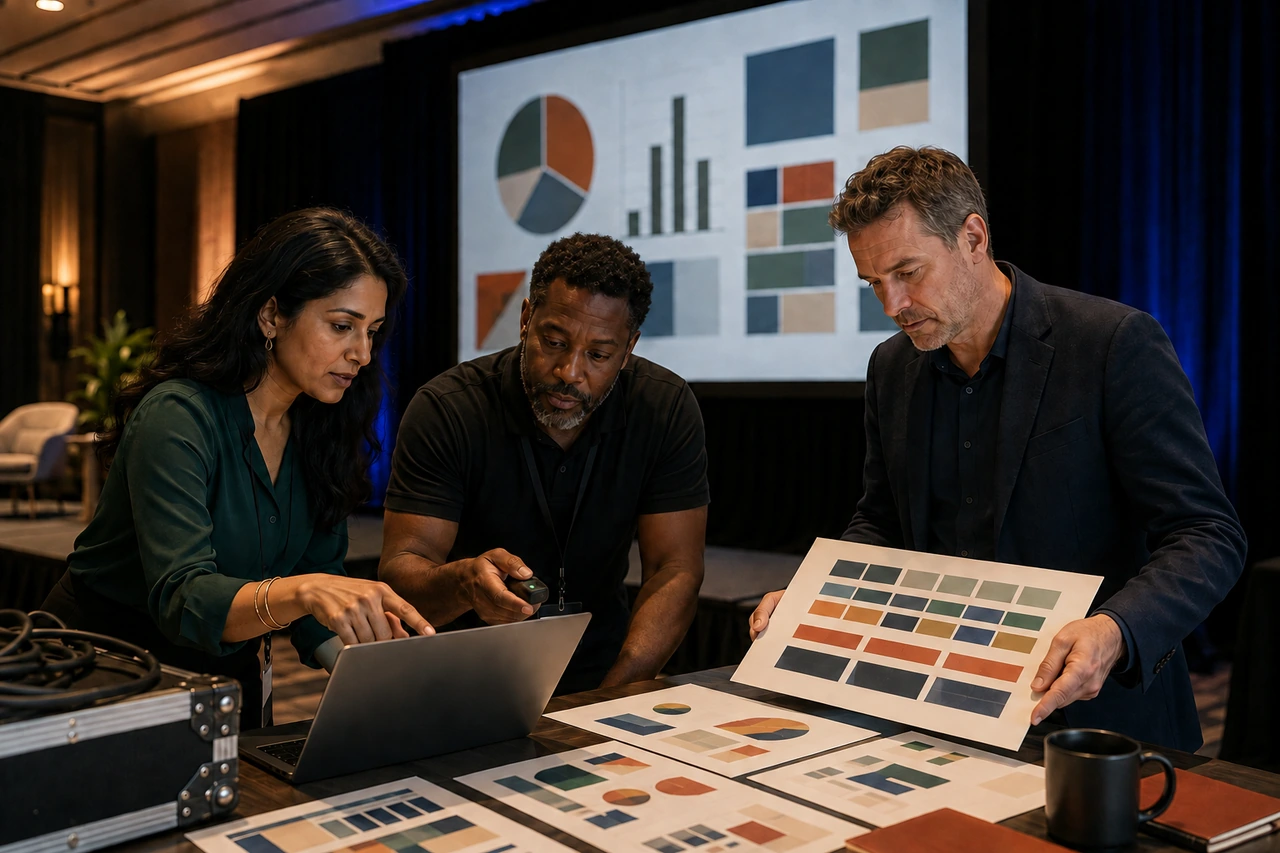
Conference presentation design services should manage the whole deck system, not polish one keynote in isolation. The right partner gives speakers a clear template and intake path, controls versions, checks rights and accessibility, tests every file on the show setup, and leaves the producer with editable masters, backups and an approved run order.
The short answer: buy an event production workflow
A conference can involve an opening keynote, executive presentations, breakouts, panels, customer stories, sponsor segments, award moments and holding screens. Those files arrive from different people, in different formats, at different levels of readiness. A useful design partner turns that variability into one controlled system without making every speaker sound or look identical.
Start with the event outcome, audience, program, room list and production setup. Then decide which talks need narrative help, original visual design, template adaptation, formatting only or technical quality assurance. Put every deliverable, owner, approver, deadline and risk in one tracker. That is the operating layer a one-deck quote usually omits.
What conference presentation design services should include
- Event discovery covering audience, theme, program, rooms, screens, playback systems, streaming, recording and accessibility.
- A presentation template or visual system with approved layouts, chart styles, image treatment and motion rules.
- A speaker intake brief that captures talk length, purpose, content status, data, media, rights, notes and rehearsal availability.
- A deck inventory with a stable ID, speaker, session, room, support level, owner, approver, due dates and current version.
- Narrative and content editing only where it is explicitly scoped, with factual claims left to the assigned subject owner.
- Design production for keynotes, breakouts, panels and interstitial slides at the approved level of effort.
- Technical QA for dimensions, fonts, links, video, audio, animation, notes, contrast, reading order and file integrity.
- Rehearsal support, a locked show folder, backups, a late-change route and editable handoff after the event.
Write exclusions beside the scope. Speech coaching, original research, scriptwriting, data verification, video production, show calling, onsite AV operation, live captioning, translation, sponsor approval and post-event editing are distinct responsibilities. One supplier may cover several, but the proposal should never let an important task disappear between teams.
Treat the program as a portfolio of deck types
Keynotes need narrative and rehearsal depth
A keynote usually carries the event's highest narrative, reputational and production risk. It may need a fresh story arc, custom visual metaphors, data visualization, speaker notes, timed builds and coordinated media. Approve the talk structure before polishing every slide, then rehearse with the real pacing. A visually impressive sequence that forces the speaker to chase the screen is not stage-ready.
Breakouts need consistency without unnecessary reinvention
A breakout subject expert often has usable content but weak hierarchy, crowded evidence or inconsistent formatting. The efficient service is usually template adaptation, slide editing and QA rather than a ground-up keynote treatment. Preserve the speaker's expertise, simplify what the room must understand, and move reference detail to notes, a handout or an appendix when appropriate.
Panels and transitions need operational assets
Lock the venue specification before designing for the screen
Ask the production team for the actual canvas, not a generic request for widescreen slides. Record pixel dimensions, aspect ratio, safe area, screen layout, confidence monitors, playback application and version, operating system, house fonts, video and audio routes, slide-advance method, clicker range, internet policy and whether slides are captured for streaming or recordings.
TED's current slide preparation guidance tells organizers to confirm technical details with the production team, make text legible from the farthest seat, keep slides simple and store presentations on one or two house computers. It lists several possible dimensions rather than treating one format as universal. Use the venue's confirmed specification as the source of truth.
Build one representative deck early and test it through the exact signal chain. Check crop, scaling, contrast, fine lines, gradients, color, animation, embedded fonts, video playback, audio level, captions, presenter view and remote or recording output. A laptop preview cannot reveal every screen, codec, adapter or show-control problem.
Give speakers one intake path and one source of truth
A shared inbox full of files called Final, Final2 and ReallyFinal is not a workflow. Give each session a stable ID and a submission route that records who sent the file, when it arrived, what support it needs and whether the content is approved. Keep the latest working file separate from the locked show file, and let only the event controller promote a version into the show folder.
- Session ID, title, format, room, date, start time and planned duration.
- Speaker name, contact, content owner, event approver and design owner.
- Support tier: original keynote, redesign, template adaptation, formatting or QA only.
- Input status: outline, script, draft deck, approved copy, source data, notes and media.
- Technical flags: custom fonts, linked files, video, audio, animation, live demo, polling and internet dependence.
- Rights and review flags: customer logos, third-party imagery, licensed media, confidential data and sponsor approval.
- Accessibility needs: large text, contrast, reading order, alternatives, captions, interpreters and advance materials.
- Milestones: intake, structure lock, design review, content lock, technical QA, rehearsal and show lock.
Design for a person speaking in a real room
Conference slides compete with the speaker, stage, lighting, cameras and audience attention. Give each slide one clear job. Make the takeaway visible from the back, simplify charts to the comparison the speaker is explaining, and use motion to reveal sequence or change. Do not turn the deck into a teleprompter or force people to read a report while listening.
Protect data, imagery and sponsor rights
Speakers often paste images, charts, logos and video into drafts without recording the source or permission. Add a rights field to intake and require a replacement, permission record or approved license before show lock. TED's guidance explicitly tells speakers to use images they own or have permission to use and to cite Creative Commons sources where applicable. Event visibility does not convert an unknown image into an approved asset.
Build accessibility into intake, slides and production
W3C's accessible events checklist asks organizers to give speakers accessibility requirements, arrange captions or interpreters where needed, provide materials in advance, keep slide design consistent, limit text and make important content large enough for the back of the room. It also asks speakers to describe relevant visual information instead of assuming everyone can see the screen.
For the files, use real slide layouts, a logical reading order, meaningful titles, sufficient contrast, descriptive links and useful alternatives for essential visuals. Microsoft's current PowerPoint accessibility guidance recommends the Accessibility Checker and notes that caption behavior can change when media is compressed, optimized or exported. Test the delivery file and the recorded output, not only the editable source.
Test media and motion on the show machine
Video and audio create failure points around file paths, codecs, performance, sound routing and internet access. Microsoft's media compatibility guidance recommends embedding rather than linking when practical and testing any required network connection at the presentation site. It also recommends H.264 video with AAC audio for broad compatibility.
Control rehearsal and late changes
Rehearsal is a production test, not a ceremonial preview. TED's current venue and production guidance says live speakers should rehearse with their slides, the team should decide who advances them, and decks should be loaded in program order. Use that run to verify timing, cues, pronunciation, slide control, media, sightlines and transitions.
Set a content lock and a later show lock. After content lock, changes should replace approved content rather than silently extend the talk. After show lock, route every request through one controller who assesses the benefit, affected files, retest requirement and rollback plan. Save the prior approved version. A five-minute edit can create a much longer technical risk if nobody knows which file reached the playback machine.
Compare service models by event risk
Per-slide production suits bounded cleanup
A per-slide service can be efficient when content is approved, the template exists and the job is mainly formatting. Slidebase currently advertises keynote work from EUR 42 per slide. Treat that as supplier-published pricing, confirm the applicable design level and rush terms, and ask who owns speaker intake, technical QA, rehearsal and late changes.
Bespoke project work suits one high-stakes keynote
Buffalo 7's current conference presentation page describes narrative, visual story, audience interaction and motion for keynote work. That is materially different from formatting fifty approved breakout decks. A project engagement can be the right fit when one speaker needs deep story and visual development, but ask how the provider prices revisions, rehearsal and the wider event assets.
A subscription suits a mixed recurring queue
PitchWorx Creative Assist is currently $699 per month with two active requests, unlimited queued requests and revisions, unlimited team members, editable source files where applicable, no long-term contract and cancellation at any time. Most everyday requests target a first delivery within about 72 hours. A conference queue can include decks, motion, social, signage and follow-up assets, but complex keynotes still need a realistic sequence across one or more billing cycles.
- Compare equivalent work: narrative, design, animation, data visualization, speaker management, AV testing and onsite support.
- Ask for committed capacity during the peak week, not only a normal turnaround promise.
- Confirm who consolidates feedback and how many decks can be active at once.
- Request a test using one representative keynote section and one typical breakout deck.
- Inspect editability, font and media packaging, accessibility, version history and rollback files.
- Estimate total event cost, including internal coordination, rush work, production support and post-event adaptations.
A practical conference deck workflow
- Confirm the audience, program, event brand, room plan, production owners and technical specification.
- Create the deck inventory, stable IDs, support tiers, speaker brief, file rules and milestone calendar.
- Build and test the template plus one representative keynote, breakout, panel and holding slide.
- Intake outlines, scripts, draft decks, data, media, rights and accessibility requirements through one route.
- Approve narrative and factual content before scaling detailed design, custom visuals or motion.
- Run design reviews by tier, consolidate feedback and reconcile changed data and rights before content lock.
- Perform technical and accessibility QA on the show machine, then rehearse the speaker, slides and cues together.
- Freeze the ordered show folder, backups and rollback versions, and route every late change through one controller.
- After the event, package editable masters, approved downloads, recordings, transcripts and reuse assets with clear ownership.
Conference deck tracker and stage QA checklist
- Program: session ID, speaker, room, order, duration, deck owner, approver and support tier.
- Content: outline, talk track, claims, source data, notes, confidential material and final approval.
- Design: template version, slide count, charts, imagery, custom art, motion and speaker-specific exceptions.
- Rights: image, video, music, font, customer logo, sponsor approval, license record and permitted recording use.
- Technical: canvas, safe area, playback device, application version, fonts, codecs, audio route, clicker and internet.
- Accessibility: contrast, type size, reading order, alternatives, captions, interpreters and advance materials.
- Milestones: intake, structure, design, content lock, QA, rehearsal, show lock and late-change status.
- Handoff: ordered show folder, PDF or video backups, original media, prior approved version and post-event package.
Conference presentation design services FAQs
What does a conference presentation design service do?
It can turn approved speaker content into clear keynote, breakout and panel decks, then help the organizer manage templates, intake, design production, version control, technical QA, accessibility, rehearsals and final handoff. Scope varies widely. Confirm whether story development, copyediting, custom illustration, animation, show files, onsite support and post-event adaptations are included or separate.
How is conference deck design different from a normal business presentation?
A conference deck supports a live speaker, distant audience, fixed time slot and production system. It usually needs larger visual hierarchy, simpler on-screen messages, rehearsed pacing and reliable media. A multi-speaker event also needs shared templates, intake, version control and show order. A normal business deck may be designed for close reading, discussion or asynchronous sharing instead.
How much do conference presentation design services cost?
Cost depends on the number and readiness of decks, story help, custom graphics, animation, speaker management, turnaround, rehearsals, technical QA and onsite support. Providers may charge per slide, per project, by retained capacity or by subscription. PitchWorx Creative Assist is currently $699 per month with two active requests. Map likely cycles and outside production costs before comparing totals.
How far in advance should conference slides be designed?
Start the system as soon as the program, event brand and venue requirements are stable. Set dates backward from the technical rehearsal for intake, structure, design review, content lock and QA. The correct lead time depends on speaker count, content readiness and production complexity. A single approved deck can move quickly; dozens of unfinished decks need staged deadlines and triage.
Should speakers use PowerPoint, Keynote or Google Slides?
Use the format the event production team can run and test reliably. PowerPoint may be simplest on a Windows house machine, while some keynote speakers work in Apple's application and collaborative teams may draft online. Confirm the required final format, fonts, media behavior, notes and animation support. Export a backup only after testing what it preserves and removes.
Can one template work for every conference speaker?
One system can create recognizable hierarchy, typography, colors, charts and event branding, but it should offer enough layouts for different content. Define which elements are fixed and where speakers can vary. A keynote may need a distinct visual route while breakouts use the shared system. Test the template against real dense, visual, data and media slides before release.
Does the presentation designer need to attend rehearsal?
Not always, but someone qualified must see the deck run on the real setup. Include the designer when pacing, complex builds, custom media or last-minute visual decisions need direct support. Otherwise, give the AV and event teams a test plan, cue notes and an escalation contact. Define whether rehearsal attendance and after-hours changes are included before the project begins.
What final files should an event team receive?
Request the ordered and approved show folder, native editable decks, agreed PDF or video backups, original media, required fonts or license notes, cue and speaker notes, accessibility outputs, template masters and a version manifest. Keep the prior approved rollback version. Add attendee downloads, recordings, transcripts, social clips or post-event decks only when rights and scope allow them.
One subscription does all of this
A conference rarely needs only slides. It may also need opening motion, holding screens, speaker cards, social graphics, signage, handouts, sponsor assets, recap visuals and a post-event deck. PitchWorx Creative Assist keeps that connected design queue under one $699 monthly subscription with two active requests. Start with one representative talk and the real venue specification. One subscription does all of this. Explore the PowerPoint presentation design service.