Quick Answer
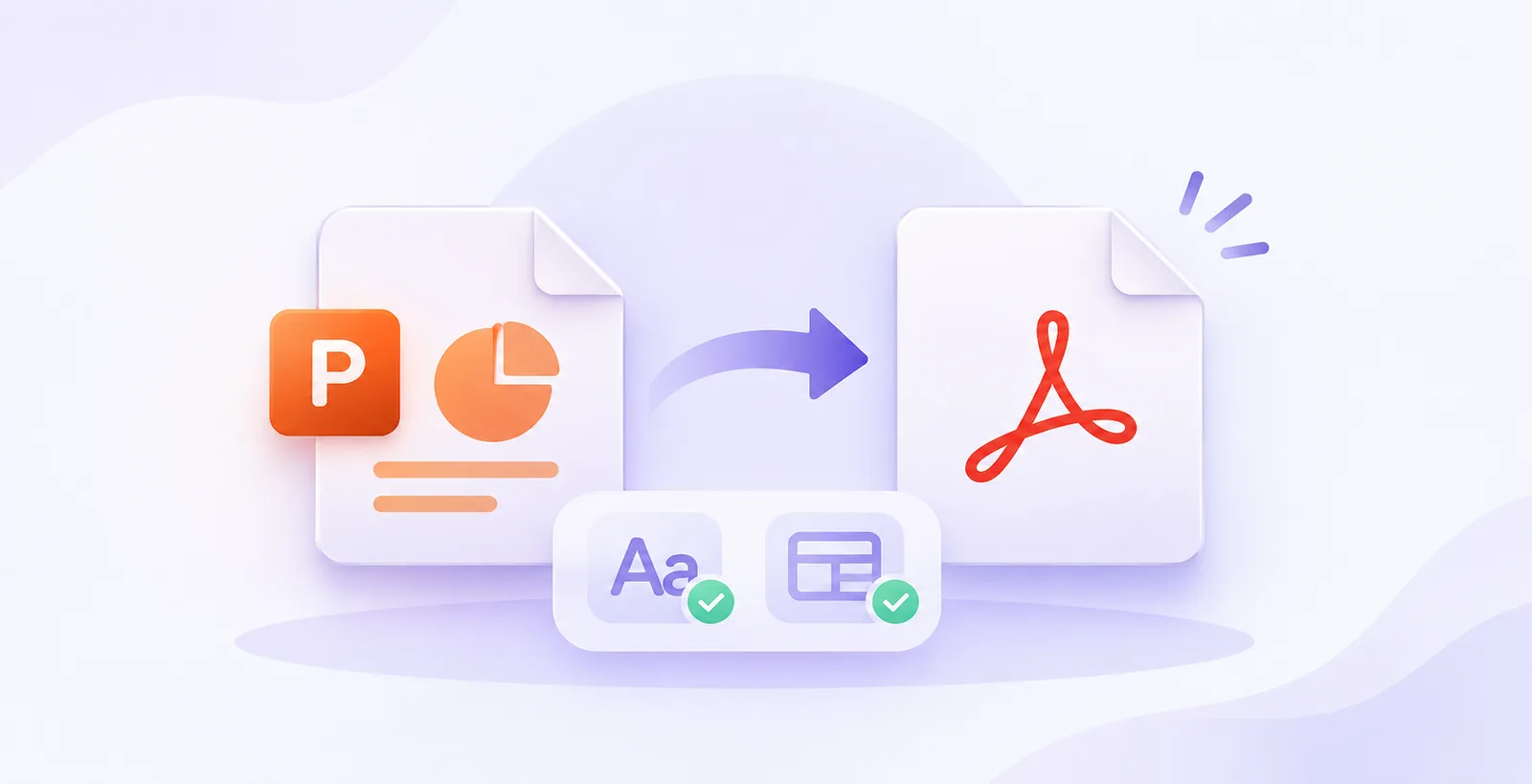
The best free PPT to PDF converter for fonts and layouts is the one built into your presentation software. PowerPoint's Save As PDF, with Embed fonts switched on and PDF/A selected, keeps typefaces and spacing most reliably. Google Slides and LibreOffice Impress are strong free alternatives. Online tools such as Adobe Acrobat online, Smallpdf and CloudConvert work for quick jobs, but they may swap fonts they cannot find. Whatever you choose, open the finished PDF on a second device before sending it, because a missing font is easiest to spot there. Embedding fonts before exporting is the biggest single fix.
Table of Contents
- Quick Answer
- Why Fonts and Layouts Break
- Facts Worth Knowing About PPT to PDF Conversion
- Free PPT to PDF Converters Compared
- Case Study: The Investor Deck That Changed Fonts
- How to Choose the Right PPT to PDF Converter
- Five Hacks for a Perfect PDF
- Free Tools Worth Bookmarking
- Frequently Asked Questions
- Need Decks That Export Flawlessly? Talk to PitchWorx
Why Fonts and Layouts Break
A PPT file stores fonts by name, not by shape. When a converter cannot find the named font, it substitutes another with different character widths, so text that fit in PowerPoint can overflow or wrap differently in the PDF. Every presentation design agency sees this weekly: the deck looks perfect on the designer's screen and falls apart in the client's inbox. The result is a PDF that looks unprofessional even though the original slides were fine.
Facts Worth Knowing
- Microsoft's fix is to open File > Options > Save and tick Embed fonts in the file.
- Choosing the ISO 19005-1 (PDF/A) option when exporting forces font embedding.
- Some fonts have licensing restrictions that block embedding, so swap them or convert the text to shapes.
- Fonts used only in a Change Font animation effect are not embedded automatically.
- External converters sometimes fail to embed custom fonts, which is why native export is safest.
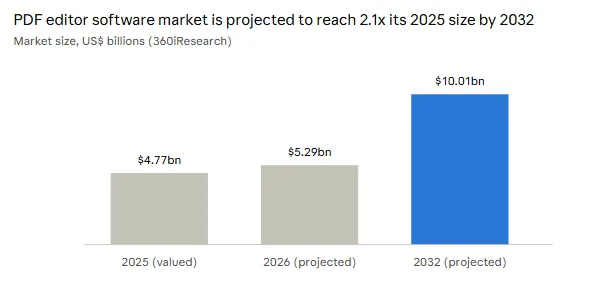
Demand for PDF tools keeps rising, and one forecast shows the PDF editor software market roughly doubling by 2032. More PDFs means more decks exported, and more chances for fonts to break, which is why every presentation design agency now builds an export check into its workflow.
Free Converters Compared
| Tool | Best for | Free limit | Font risk |
|---|---|---|---|
| PowerPoint Save As PDF | Exact fonts and layout | None (PowerPoint for the web is free) | Lowest |
| Google Slides (Download as PDF) | Cloud decks and teamwork | None | Low, Google fonts only |
| LibreOffice Impress | Free offline export | None | Medium, check spacing |
| Adobe Acrobat online | Trusted one-off jobs | One document per day | Medium |
| Smallpdf | Fast, simple uploads | About 2 tasks per day | Medium |
| CloudConvert | Many formats | 25 per day, 100 MB | Medium |
Case Study: The Investor Deck That Changed Fonts
This is an illustrative scenario, not a named client result.
A founder exported an investor deck with a free online converter the night before a meeting. The brand font was custom, so the converter replaced it with a default. Headlines wrapped onto a second line, two charts overlapped their captions, and the PDF looked unfinished.
The fix took ten minutes. The founder turned on Embed fonts, exported from PowerPoint with PDF/A, and checked the file on a phone. The layout matched the original. Teams that use PowerPoint design services often add this check to every handover. A presentation design agency would have caught the problem before the deck was ever sent.
How to Choose the Right Converter
Choose by risk, not by convenience. For client-facing or investor decks, always use native export, because it protects fonts and layouts best. For internal drafts, any online converter is fine. A professional presentation design agency exports from the source file every time, never from a converted copy. Companies that buy PowerPoint design services usually receive PDF-ready files by default, which saves a round of fixes. If the stakes are high, ask a second person or a presentation design agency partner to review the final PDF before it goes out.
Five Hacks for a Perfect PDF
- Embed first, export second. Save the PPTX with fonts embedded before creating the PDF.
- Use fonts you can embed. Stick to fonts with open licences, such as Google Fonts, for decks that travel.
- Add a hidden font page. Place one text box in each animated font on a spare slide so it is embedded.
- Test on a phone. A device without your fonts is the fastest honest test.
- Keep a PPTX master. Never edit the PDF; fix the source and export again.
Many a presentation design agency also checks bullets, line breaks and image quality in the PDF, not only the fonts.
Free Tools Worth Bookmarking
Any presentation design agency keeps these four tools close:
- PowerPoint and Google Slides: native export for the cleanest result.
- LibreOffice Impress: free, open-source and works offline.
- Adobe Acrobat Reader: open Document Properties and the Fonts tab to confirm fonts are embedded.
- Google Fonts: free typefaces that embed without licence trouble, so decks stay consistent everywhere.
Frequently Asked Questions
1. Which free converter keeps fonts best?
PowerPoint's own Save As PDF with embedded fonts, because it uses the same font engine that built the deck. It also produces the smallest layout shifts.
2. Why do my fonts change after conversion?
The converter could not find them and substituted another. Embed fonts, or use PDF/A, to prevent it.
3. Are online converters safe for confidential decks?
Most upload your file to their servers, so avoid them for sensitive material. Ask your presentation design agency which method it uses for client files.
4. Can I convert PPT to PDF without losing animations?
No. PDFs are static, so each slide exports in its final state. Export extra slides if you need to show steps.
5. When should I hire professionals?
When a deck must look flawless on every device, a presentation design agency offering PowerPoint design services can build files that export cleanly.
Need Decks That Export Flawlessly? Talk to PitchWorx
PitchWorx is a Presentation design agency with 14 years of experience, trusted by 500+ brands including Pepsi, Samsung and Bloomberg. Its PowerPoint design services cover investor decks, sales decks, templates and editable files, built with embedded fonts so they export cleanly to PDF. A Creative Assist subscription starts at $699 per month with a 7-day free trial. Start your trial at pitchworx.com and send your first deck today.