
Quick Answer
The best AI presentation tools for 2026 distinguish themselves by integrating semantic understanding with enterprise-grade security. A recent report by Gartner predicts that by 2026, over 80% of creative workflows will utilize generative assistance to reduce production time.
- Beautiful.ai for strict brand adherence and rapid formatting.
- Microsoft Copilot for seamless integration with existing US corporate ecosystems.
- Gamma for non-linear, web-based storytelling.
In the high-velocity US business landscape, the gap between a good idea and a funded initiative often comes down to communication speed. Executives and founders no longer have the luxury of spending weekends formatting slides. The emergence of smart design software has shifted the focus from pixel-pushing to narrative strategy. However, relying entirely on algorithms without strategic oversight can lead to generic, hallucinated content that fails to convert. This guide ranks the top tools available today and explains how to integrate them into a winning workflow for 2026 and beyond.
Improvement in persuasion when visuals are used
Evaluating the Landscape: What Matters in 2026
Not all generative software is built for the boardroom. For US-based enterprises, data privacy (SOC2 compliance) and brand safety are paramount. A tool might generate stunning visuals, but if it hallucinates data or exposes proprietary information, it is a liability. We evaluated software based on three criteria relevant to US market needs: interoperability with PowerPoint, fidelity to brand guidelines, and ease of collaboration.
Top 3 Generative Design Tools Ranked
After testing dozens of platforms, these three stand out for professional application:
- Beautiful.ai: Best for Brand Control Verdict: Ideal for teams that need to prevent “Frankenstein” decks. Its “Smart Slide” technology forces content to adapt to layout constraints, ensuring nothing breaks the grid.
- Microsoft Copilot: Best for Enterprise Verdict: If your organization lives in Microsoft 365, this is the logical choice. It pulls data directly from Excel and Word to draft slides, though the design output often requires expert refinement.
- Gamma: Best for Standalone Decks Verdict: Gamma breaks the traditional slide format, offering a fluid, web-like document experience. It’s excellent for sending read-ahead decks but less effective for live boardroom pitches.
Step-by-Step: The Hybrid “Human-in-the-Loop” Workflow
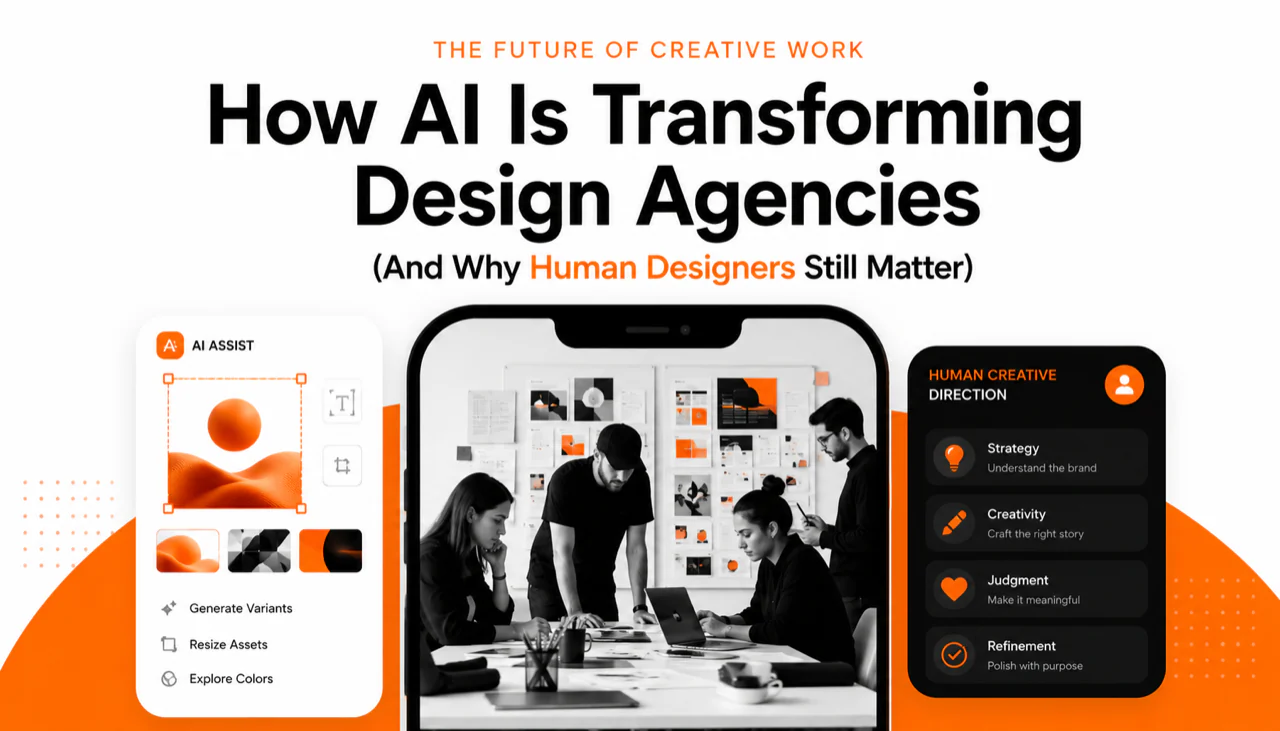
The most effective teams don’t replace designers; they accelerate them. Here is the process we recommend for leveraging these tools without sacrificing quality:
- Draft the Narrative: Write your script or outline in a text editor first. Do not start with visuals.
- Generative First Draft: Use a tool like Copilot or SlidesAI to convert your text into a rough slide structure.
- The “Sanity Check”: Review every data point. Generative models are linguistic, not factual. They can and will invent numbers.
- Visual Polish: Export to PowerPoint and apply your official master template. This is where professional presentation design services often step in to elevate the raw layout into a compelling visual story.
Common Mistakes When Using Smart Software
Even the best tools cannot fix a bad story. We frequently see these errors in automated decks:
1. Over-reliance on bullet points: Algorithms love lists. Audiences hate them. Break up text into diagrams wherever possible.
2. Ignoring copyright: Generative image tools may source training data ambiguously. For high-stakes public presentations, stick to licensed stock or custom illustrations.
3. The “Wall of Text”: Tools often try to fit every word you provide onto the slide. You must ruthlessly edit for brevity.
Data-Backed Reality: The Efficiency Ceiling
While tools accelerate layout, they do not solve the “cognitive load” problem. According to the Nielsen Norman Group, users skim content in an F-shaped pattern, ignoring huge blocks of text. Smart software often populates slides with dense paragraphs by default. A human designer is still required to apply hierarchy and direct the viewer’s eye to the most critical insight.
Case Study: Reducing Pitch Prep Time
A San Francisco-based SaaS client recently approached us with a 40-slide technical deck generated entirely by software. While the formatting was consistent, the story was flat. The “benefits” were buried in generic lists. By applying a strategic narrative layer and redesigning the high-value “money slides” manually, we helped them close a Series B round. The software got them 60% of the way there; the final 40%—the human insight—closed the deal.
Checklist: Is Your AI Deck Investor-Ready?
- Have you verified all statistics against primary sources?
- Are the fonts and colors 100% compliant with your brand guidelines?
- Is there a clear narrative arc, or just a list of features?
- Have generic stock images been replaced with authentic product shots?
- Does the deck export cleanly to editable PowerPoint for sharing?
Frequently Asked Questions
Can these tools replace a presentation design agency?
For internal updates, yes. For high-stakes funding pitches or keynotes, no. Tools lack the strategic empathy to understand investor psychology or nuanced storytelling required for multimillion-dollar deals.
Are AI-generated images copyright safe?
It is a grey area. In 2026, we recommend avoiding generative imagery for trademarked assets or major ad campaigns unless you use an enterprise model with indemnification.
Which tool is best for converting Word docs to slides?
Microsoft Copilot is currently the leader for this specific workflow, as it preserves the context from your source documents within the Microsoft 365 ecosystem better than third-party plugins.
Do these tools work on mobile?
Most have mobile viewing capabilities, but creation and editing are still best done on a desktop. Gamma is an exception, offering a responsive reading experience on mobile devices.
How much time does using AI save?
Teams typically report a 30-50% reduction in initial drafting time. However, the time spent on refining strategy and messaging often remains unchanged, as these are human-centric tasks.
Turn Your Complex Ideas into a Captivating Presentation
PitchWorx helps founders and enterprise teams convert raw content into high-impact visual stories.
Elevate Your Presentation Today